

SET UP · HOST · VERIFY
How to play music bingo at home.
Print one unique card per guest, play the matching songs, and mark recognized titles. This guide takes the host from printer settings to the final verified bingo.
4–30 players40 songs≈35 minutes
BEFORE GUESTS ARRIVE
What the host needs
 Printed cardsOne different card per player
 Matching playlistOpened on the host device
 Clear soundA tested speaker at conversation-friendly volume
 Markers and checklistPens, tokens, and the host song list
SIX SIMPLE STEPS
From PDF to “Bingo!”
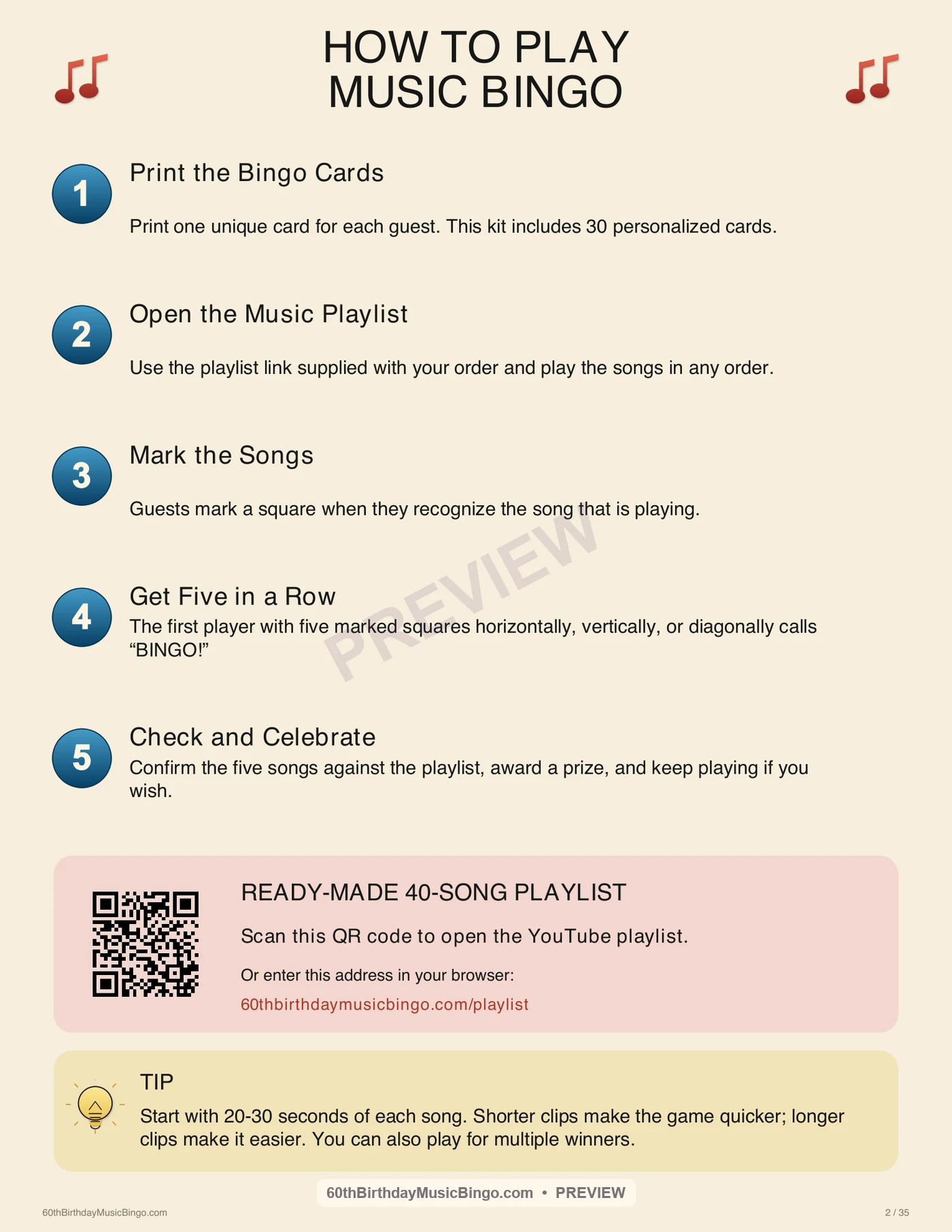
Make the decisions before the first track. Then the room only needs to listen and play.
- 01
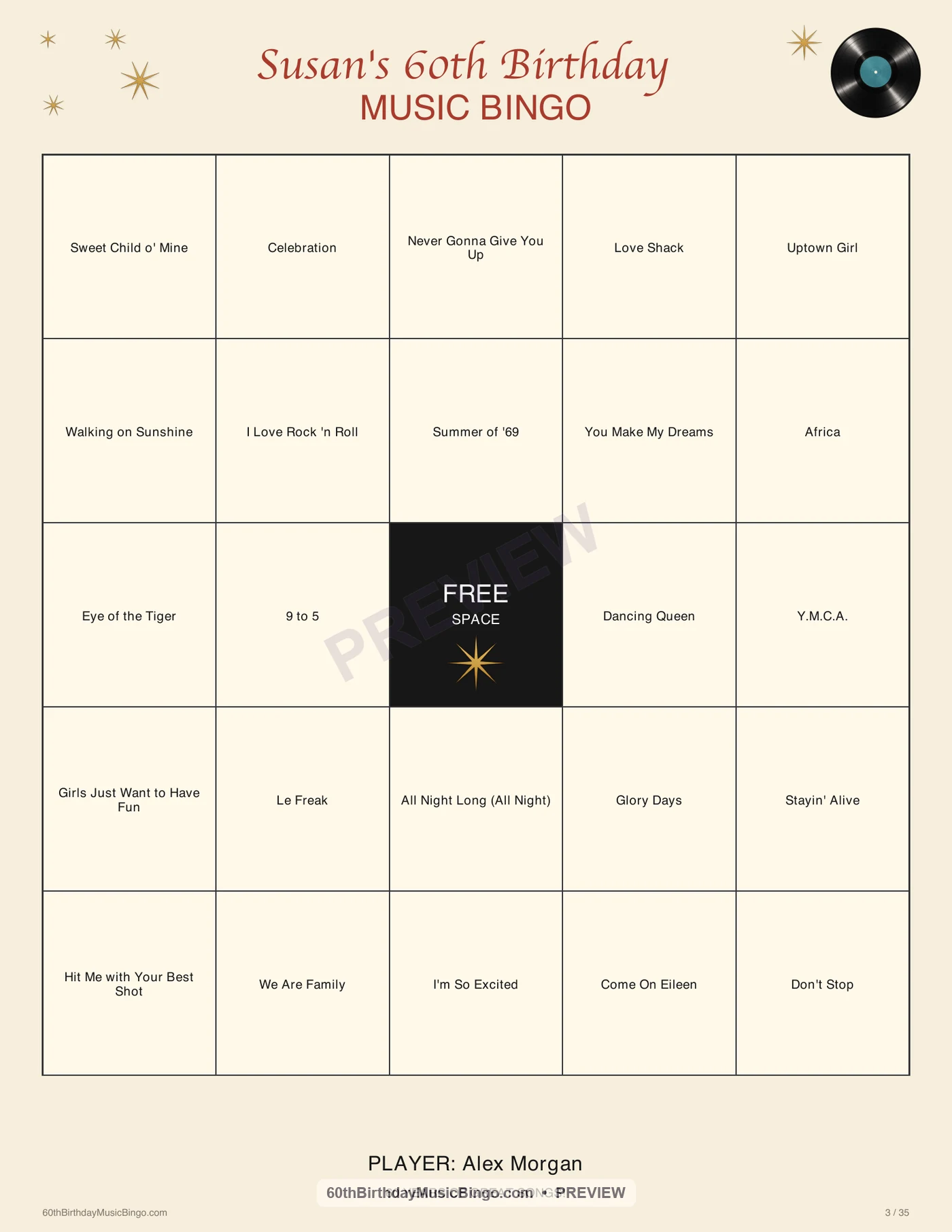
Print one unique card per player
Print the PDF at actual size on US Letter paper and keep the host checklist separate.
Printer setting: US Letter · portrait · 100% or actual size - 02
Prepare markers, sound, and prizes
Give each player a pen or marker, connect the host device to a speaker, and test the volume.
- 03
Choose the winning pattern
Announce a horizontal, vertical, or diagonal line, four corners, or cover-all before playback starts.
- 04
Open the matching playlist
Use the playlist supplied with the cards, keep its saved order, and turn shuffle off.
For this product: saved order · shuffle off - 05
Play, recognize, and mark
Play enough of each track for guests to identify it. Players mark the song title when it appears on their card.
- 06
Pause and verify every bingo
When a player calls bingo, pause the music and compare marked titles with tracks already played before awarding the win.
Only songs already played can complete a win
CHOOSE BEFORE PLAY
Four easy winning patterns
A 5×5 card has a free center space. Tell everyone which pattern counts before pressing play.
Four corners
X pattern
Cover all
A 30-SECOND EXPLANATION
What to tell the players
“Each square contains a song title. When you recognize a song and see it on your card, mark that square. The center is free. Tonight we’re playing for [announce the pattern]. If you complete it, call ‘Bingo!’ and I’ll pause the music to check your card.”
WHEN SOMEONE CALLS BINGO
Pause first. Verify second.
- Stop playback without advancing to another track.
- Ask the player to show the completed pattern.
- Compare every marked title in that pattern with the host checklist or tracks already played.
- If all titles are valid, announce the winner. If not, explain which square has not played and resume.
- For a tie, recognize both winners or announce a tie-break rule before continuing.
QUICK FIXES
Music bingo troubleshooting
The playlist played out of order.
Pause it, turn shuffle off, and return to the first unplayed track in the saved playlist order. Use the checklist to avoid counting a track twice.
Guests cannot identify a song.
Let the track reach a recognizable section, keep the volume clear, and avoid talking over the intro. Do not reveal the title unless that is your chosen house rule.
Someone arrived after the game began.
Give them an unused card and tell them which tracks have already played. They may mark those titles from the host checklist before joining the next track.
Two people call bingo together.
Verify both cards using the same standard. Award a shared win, or use a tie-break only if that rule was explained beforehand.
You want another round.
Use a different winning pattern or start fresh with clean cards. Do not silently change the rules during an active round.
MUSIC BINGO RULES FAQ
Answers for the host
How do you play music bingo?
The host plays songs from a playlist. Players recognize each track and mark the matching title on their unique card. The first verified player to complete the announced pattern wins.
Should I shuffle the playlist?
Follow the instructions supplied with your game. For this 60th Birthday Music Bingo kit, keep the included YouTube playlist in its saved order and turn shuffle off.
How long does the game take?
This game is designed to run for about 35 minutes. Host pauses and the chosen winning pattern can shorten or extend a round.
What counts as a win?
The host announces the pattern before play. Common choices are one line, four corners, an X, or cover-all. Verify every winning title against songs already played.
READY TO HOST
Build the personalized game now.
Choose the number of players, add optional guest names, and review every page before checkout.
Create My 60th Birthday Game